
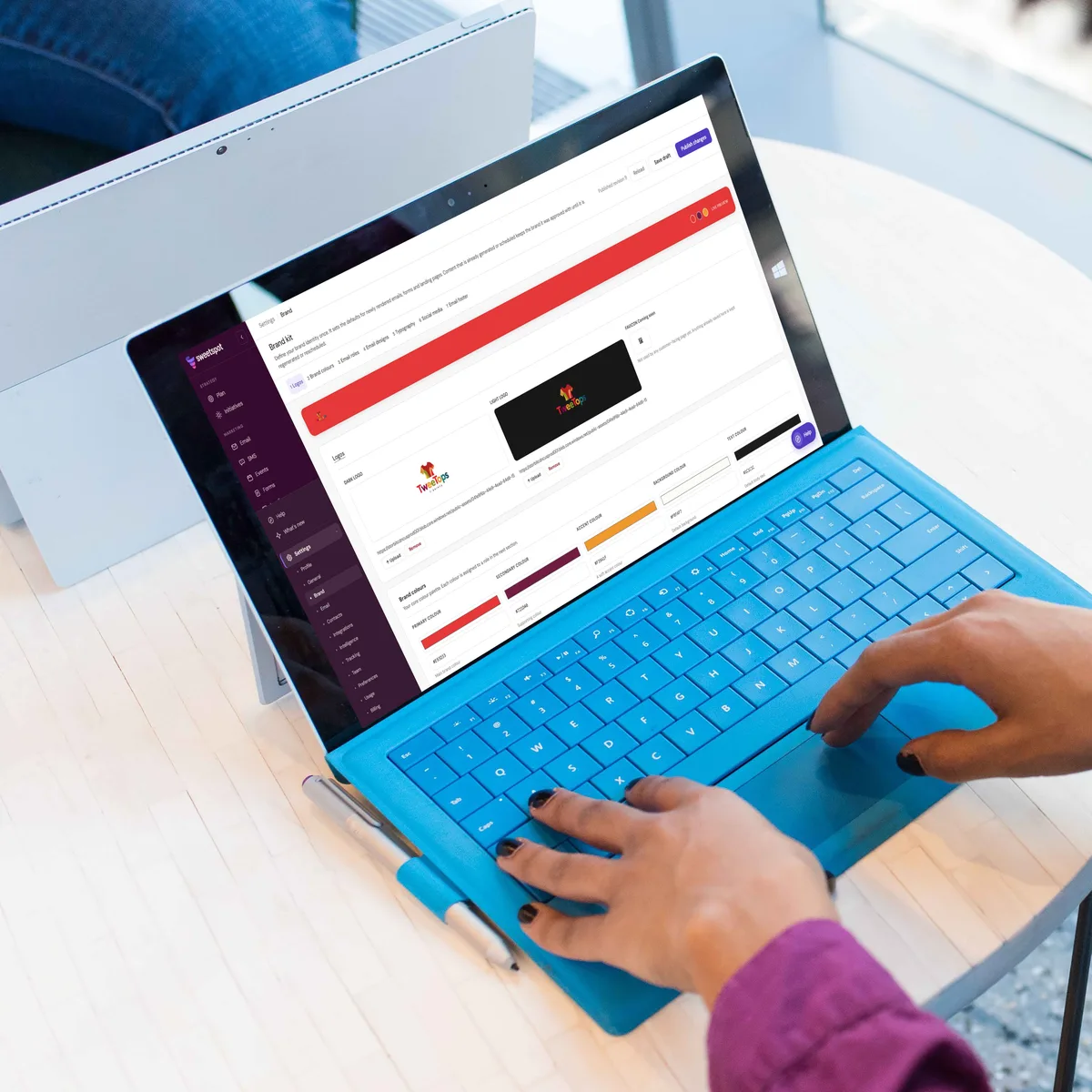
Your Brand, Built Into Every Message
Set your logos, colors, fonts, and footer once. Every email Sweetspot creates starts on brand, ready to send.
Colors Aren’t Just Decorative
People trust what they recognize. When every announcement, invite, and newsletter looks like it comes from you, that trust grows with every send.

Consistency, Built In

Speak With One Voice

Create on Brand
Built for Speed.
Your team’s time is best spent on what you say. Every new email starts with your look already applied, so you move straight from idea to send.
Ready From the First Draft
Header, colors, buttons, and footer are in place the moment Sweetspot creates an email, so your team starts with the message.
One Kit, Every Creator
Whoever builds the email, it draws on the same approved brand kit, keeping every message consistent across your team.
Live Mock-up Email Preview
See your choices in real time as you make them, so you know exactly how your vision will apply to your emails.
Your Voice, in Every Email
Your Organization Profile tells Sweetspot who you are, who you serve, and how you sound. Add your mission, values, audience, offering, and tone once, and every email Sweetspot writes speaks as your organization does.
Sounds Like You
Speak to Your Audience
Ready to Send
Consistent at Every Send.
Update your brand, publish the changes, and every new email, announcement, and newsletter follows. Scheduled content keeps the brand it was approved with, so every campaign reaches your audience exactly as it was signed off.
Your Look and Feel, Down to the Details
Brand Settings go beyond a logo and a color. You decide how every part of an email looks, and Sweetspot applies those choices to everything it creates.
Color Roles
Tell Sweetspot which color goes where: headings, links, buttons, callout boxes, and dividers. Auto-contrast keeps button text readable on any background. Every color in its place.
Email Designs
Save reusable looks bound to your palette, then pick one when you create an email. Newsletters and invites can each have their own style. Variety that still feels like you.
No Designer Needed
Your brand shows up right every time. Sweetspot ensures your brand presence stays strong without needing an expert designer.

Your Assets, Ready for Every Email
Keep your assets in one library your whole team shares. Sweetspot describes and tags every image as you upload it, so you can always find the right visual, and every email looks like it comes from you.
Everything Your Brand Needs in One Place
Brand Settings bring your entire visual identity together. Set it once, and Sweetspot carries it into everything you create.
Logos
Upload dark and light versions so your logo looks sharp on any background, in every email.
Colors
Define your primary, secondary, accent, background, and text colors as the foundation of every message.
Roles
A standout feature where you assign each color a job, from headings and links to buttons and callouts.
Designs
Save reusable email looks so each kind of message has its own style within your palette.
Typography
Choose heading and body fonts that carry through your email templates.
Socials
Add your website and social profiles, and they’ll automatically appear in your email footer.
Footer
Choose your layout style and choose what to show.
Compliance
Your unsubscribe link and postal address are legally required in marketing emails to keep you compliant.
Contrast
Auto-contrast picks white or dark button text based on your button color, so every call to action stays easy to read.
FAQ
What are Brand Settings in Sweetspot?
Brand Settings is where you define your organization’s logos, colors, fonts, email designs, and footer. Sweetspot applies them to every new email it creates.
Do I need design skills to set up my brand?
No. You upload logos, add brand colours and assign roles. You choose from simple settings and see your brand in a live preview.
What happens to scheduled emails when I update my brand?
Content already generated or scheduled keeps the brand it was approved with. Your updates apply to newly created content, or when you regenerate or reschedule.
Can different types of emails have different looks?
Yes. Save email designs bound to your brand palette, then pick one when branding an email so newsletters and event invites each have their own style.